Is a Vinyl Cutting Plotter Worth It for Your Business in Pakistan?
Walk through any market in Lahore, Karachi, or Faisalabad and you will see vinyl work everywhere: shop signs, car stickers, product labels, and printed T-shirts. Much of it is made with one machine, the vinyl cutting plotter.
Many small business owners still cut stickers by hand or send every job to another shop. That is slow, the quality varies, and you lose part of your profit on every order. This guide explains what a vinyl cutting plotter is, how it works, what you can earn from it, and what to check before buying one.
What Is a Vinyl Cutting Plotter?
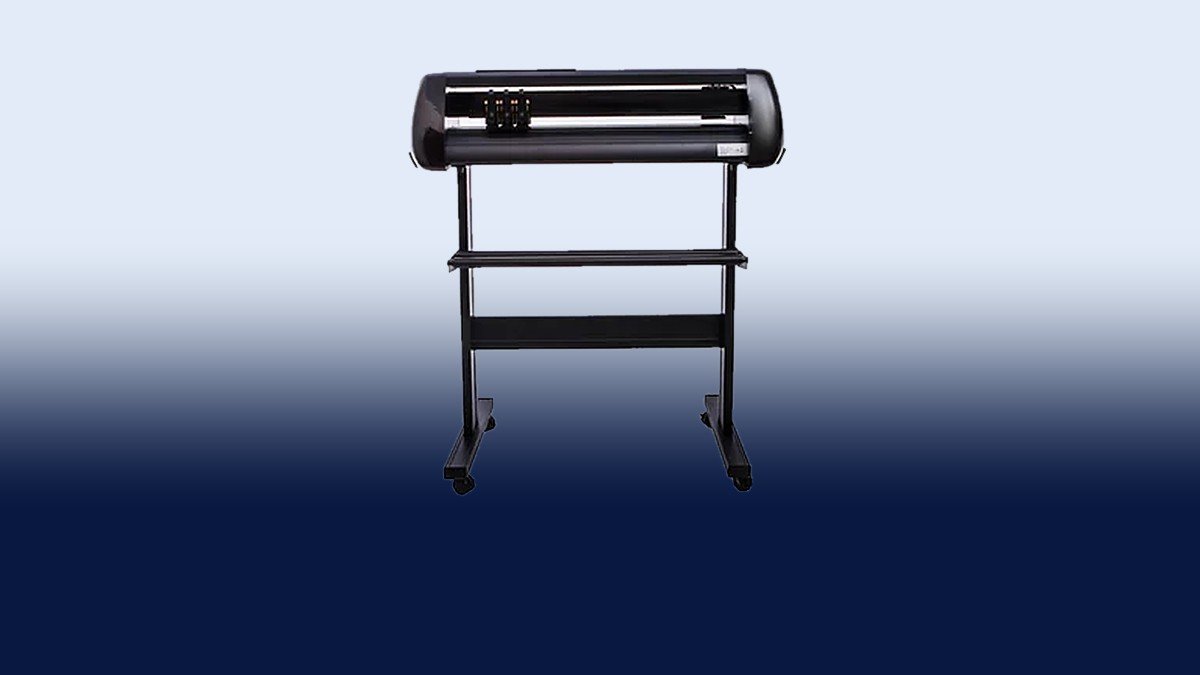
A vinyl cutting plotter is a machine that cuts shapes, letters, and logos out of flat material using a small blade. It does not print anything. It reads a digital design file and moves the blade along the lines of that design.
The material is usually self-adhesive vinyl, but the same machine can cut heat transfer vinyl, reflective film, and thin sheets. Once a design is ready, the plotter can repeat it hundreds of times with the same accuracy, which is something hand cutting cannot offer.
You may also hear this machine called a cutting plotter machine or a sticker cutting machine. The names differ, but the basic job is the same.
How Does It Work?
The process is easier than it sounds.
- Prepare the design. Create a design in graphics software or open a ready-made file such as a logo or name.
- Send it to the machine. The software converts the artwork into cutting paths and sends them to the plotter, usually over USB.
- Load the material. Feed a vinyl roll or sheet into the plotter. Rollers grip it and move it back and forth.
- Cut. The blade follows the design and cuts through the vinyl but not the backing paper.
- Weed and apply. Remove the extra vinyl around the design, then use transfer tape to place the design on its final surface.
Blade pressure and speed matter. Thin vinyl needs light pressure, while thicker film needs more. A quick test cut before every new material saves wasted vinyl.
What Can You Make With a Vinyl Cutting Plotter?
One machine can support several kinds of work at once:
- Stickers and labels for product packaging, online stores, and small brands
- Shop signs and glass lettering, including business names, timings, and contact details
- Vehicle graphics such as car and bike stickers, and fleet branding
- Heat transfer designs for T-shirts, caps, bags, and uniforms
- Wall decals for homes, offices, and children’s rooms
- Stencils for painting and craft work
If apparel printing is part of your plan, the plotter works best alongside a heat The starting material costs little compared with the finished product, so custom jobs can leave a healthy margin, especially when customers value fast delivery.
Who Should Buy One?
A plotter makes the most sense for:
- Signage shops that cut lettering daily
- Print shops that want to add sticker and label cutting
- Uniform and apparel printers who use heat transfer vinyl
- Online sellers who need branded stickers and packaging labels
- Car decoration and branding workshops
- Home-based start-ups that want a low-cost way to begin
If you already outsource even a few cutting jobs each week, owning a machine can pay off, because you stop paying another shop’s margin and you control your own deadlines.
How Do You Choose the Right Sticker Cutting Machine?
Not every sticker cutting machine suits every shop. Check these points before you decide.
Cutting width. Smaller machines work well for stickers, labels, and apparel designs, while wider ones handle large signs and vehicle graphics. Choose based on your biggest regular job, not your smallest.
Contour cutting. If you want to cut around printed stickers, the machine needs an optical sensor that reads registration marks. This feature is what makes print-and-cut work possible. If you only cut plain colored vinyl, you may not need it.
Cutting force and blade quality. A good machine cuts thin sticker vinyl cleanly and also handles thicker film without tearing. Ask which blades are compatible and how easy they are to replace.
Software support. Make sure the machine works with the design software you already use, and that the driver installs without trouble.
Build quality. Look at the rollers, frame, and stand. A stable body keeps the material straight, which matters on long cuts and repeat orders.
Local support. In Pakistan, access to spare blades, technical help, and a responsive seller matters as much as the machine itself.
Total budget. Add up the machine, vinyl rolls, transfer tape, spare blades, and a computer if you do not have one.
What Mistakes Should Beginners Avoid?
Most early problems come from a few habits:
- Skipping test cuts. A small test shape shows whether pressure and speed are right.
- Using a worn blade. A dull blade tears vinyl and leaves rough edges.
- Buying cheap vinyl. Poor material lifts, cracks, or fades, and customers blame your work.
- Choosing overly detailed designs. Tiny details are hard to weed. Simplify when you can.
- Skipping surface cleaning. Vinyl does not stick well to dusty or oily surfaces.
How Do You Maintain a Cutting Plotter?
This machine does not need much care, but a few habits extend its life. Keep it free of vinyl dust and scraps. Check the blade and cutting strip often and replace them when worn. Keep the rollers clean so the material does not slip. Store vinyl rolls flat or hanging, away from heat and moisture. Use the machine in a dry space with a stable power supply, since voltage fluctuations can damage the electronics.
Conclusion
A vinyl cutting plotter is one of the most practical machines a small business can add. It turns simple digital designs into stickers, signs, decals, and heat transfer graphics with precision that hand cutting cannot match.
Before buying, decide what you will cut most often, pick the right width and features, confirm software compatibility, and make sure good local support is available. Get these points right and the machine will keep earning for years.
If you want help choosing a machine that fits your work and budget, the TMC Tech team can guide you.
Frequently Asked Questions
What is the difference between a vinyl cutting plotter and a printer?
A printer puts ink on a surface. A plotter uses a blade to cut shapes out of material. Some businesses use both: they print a design first, then cut around it.
Can a plotter cut materials other than vinyl?
To a degree. Many machines handle heat transfer vinyl, reflective film, and thin paper. Thick or hard materials need a different machine, such as a laser.
Do I need a computer to use it?
In most cases, yes. The design and cutting software runs on a computer, which sends the cut paths to the plotter.
How long does it take to learn?
Basic cuts can be learned in a day. Weeding, layering colors, and contour cutting take a few weeks of regular practice.
Is a plotter a good business investment?
For shops that already get sticker, signage, or apparel orders, usually yes. It cuts outsourcing costs, speeds up delivery, and lets you offer custom work. The return depends on how steadily you can find customers.


