Are Vinyl Cutting Plotters Worth It for Your Business in Pakistan?
Walk through any market in Lahore, Karachi or Islamabad and you will see vinyl everywhere. Shop signs, car wraps, window graphics, stickers and printed labels all depend on clean, accurate cuts. Behind most of that work sits one reliable machine. At TMC Tech, we help workshops and print shops choose the right equipment every week. The same question keeps coming up: is a cutting plotter really worth the investment?
The short answer is yes, if you pick the right one and use it well. Modern vinyl cutting plotters are fast, accurate and easy to learn. They turn a digital design into a precise cut without wasted material. In this guide, we explain how they work, who benefits, what to check before buying, and how they fit beside laser machines in a growing business.
What Does a Vinyl Cutting Plotter Actually Do?
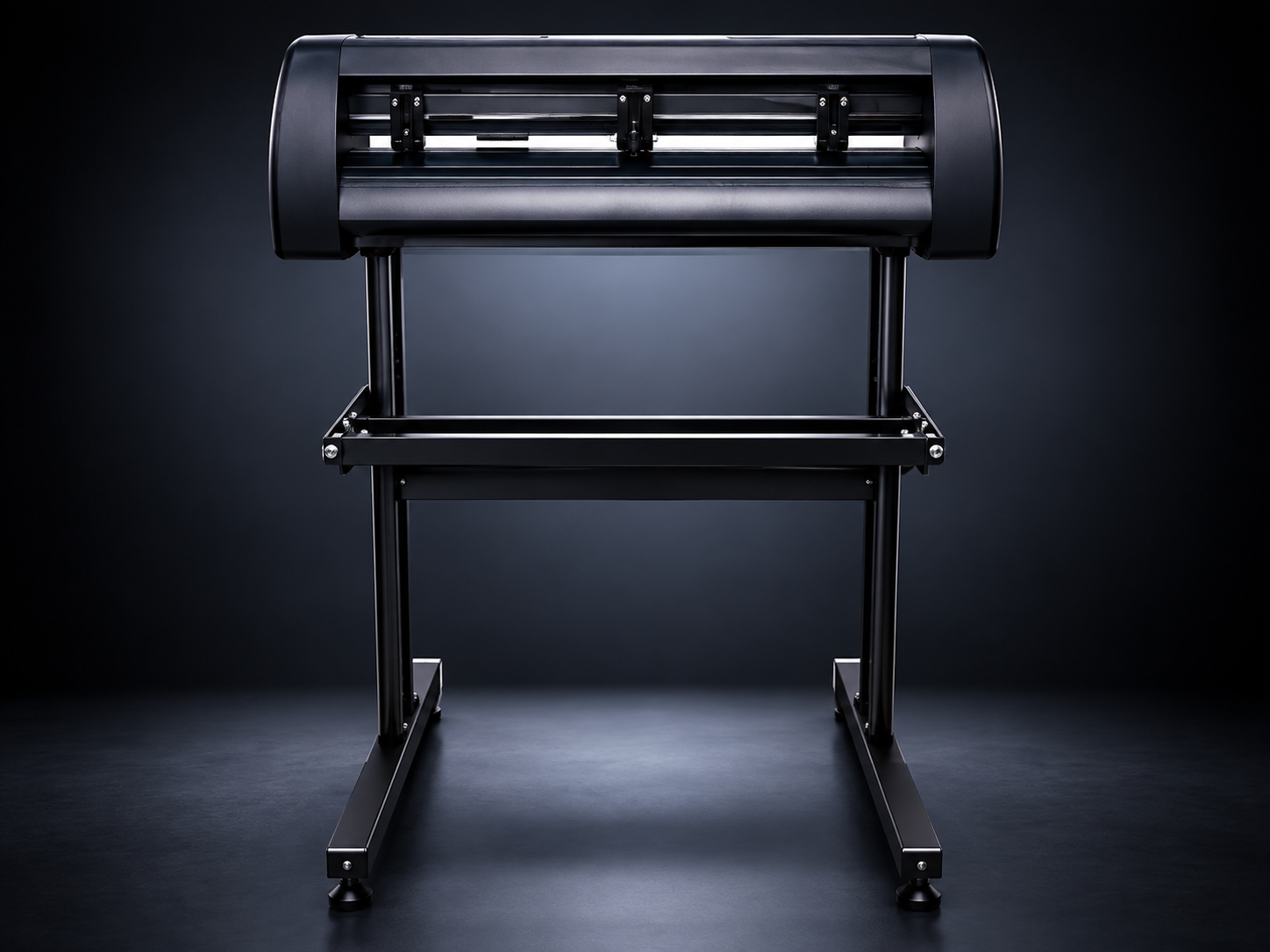
A Vinyl Cutting Plotters reads a design file from your computer. It then moves a small blade across the material and cuts along the lines of that design. The blade does not go all the way through the backing sheet. It cuts only the vinyl layer. This is why the finished sticker or letter can be peeled off and applied in seconds.
Most machines handle self-adhesive vinyl, heat transfer vinyl, reflective film, window film and thin paper. Some also cut thin card and stencil sheets. The machine is only as good as its blade, its motion system and its software, so each of those parts deserves a closer look.
Who Benefits Most From a Cutting Plotter?
In our experience, several types of businesses gain the most.
Sign makers
Shop names, door lettering and board graphics are cut in minutes. Repeat orders become easy because the design file is saved.
Sticker and label sellers
Contour cutting lets you cut around a printed shape. This is the base of a custom sticker business.
T-shirt and garment printers
Heat transfer vinyl is cut, weeded and pressed onto fabric. Names, numbers and logos look sharp and last through many washes.
Vehicle graphics studios
Decals, stripes and branding for cars, rickshaws and delivery vans need long, straight, repeatable cuts.
Home-based entrepreneurs
A compact plotter can start a small business from a spare room with very little space.
If you work in any of these areas, a plotter usually pays back its cost through faster delivery and lower material waste.
Features to Check Before You Buy
Not every machine suits every shop. Before you decide, look closely at the following points.
Cutting width
Machines come in different widths, from compact desktop models to wide-format units. Choose a width that matches your most common job, not your rarest one. A wider machine takes more space and handles larger rolls, but a smaller one is often enough for stickers and garment work.
Motion system
Stepper motors are fine for light and occasional use. Servo motors give smoother movement, better speed control and stronger accuracy over long runs. If you cut all day, a servo-driven machine is worth considering.
Cutting force and speed
Thicker films need more downward force. Check that the machine can handle reflective or heavy-duty vinyl if you plan to use it.
Optical eye for contour cutting
An optical sensor reads registration marks printed around your artwork. It lets the blade follow the printed edge exactly. Without it, cutting printed stickers by hand becomes slow and unreliable.
Software support
The plotter should work with common design programs. Easy driver installation saves a lot of frustration on day one.
Build quality
Look at the rollers, the pinch wheels and the frame. A stable body keeps the material straight, which matters more than most buyers expect.
After-sales support
Blades wear out, and software needs updates. A supplier who answers questions and keeps spare parts available protects your business from long downtime.
Contour Cutting: The Feature That Grows Your Income
Plain cutting of letters and shapes is useful, but contour cutting opens new doors. You print a design on adhesive paper or vinyl, add registration marks, and let the optical eye find them. The plotter then cuts exactly along the printed outline.
This single feature allows you to sell die-cut stickers, product labels, packaging seals and branded decals. Many of our customers add it after a few months, once they see the demand from local brands. It also reduces labour. One operator can finish a batch that would take several people with scissors.
Where Laser Machines Fit Alongside a Plotter
Vinyl is only one part of the personalisation business. As your shop grows, customers will ask for work that a blade cannot do: engraved steel tags, serial numbers on tools, logos on metal cards or permanent marks on parts. This is where a fiber laser marking machine becomes a natural second purchase.
A fiber laser marks metals and some plastics with fine, permanent detail. It does not use ink or blades, so there is nothing to replace on a regular basis. Many workshops start with a plotter, build steady income, and then add marking equipment for higher-value jobs. The two machines serve different needs and do not compete with each other.
Think of it as a ladder. The plotter handles fast, low-cost graphics on soft materials. The marking laser handles permanent identification on hard materials. Together they cover a wide range of customer requests.
Setting Up Your Plotter for Good Results
A good machine still needs good habits. These simple steps improve cut quality from the first day.
Level the machine
Place it on a flat, stable table. A wobbling surface causes uneven cuts.
Load the material straight
Align the roll with the guide marks and keep the pinch wheels evenly placed. Crooked loading is the most common cause of drifting cuts.
Test before you cut
Run a small test square on a scrap piece. Adjust blade depth and force until the vinyl cuts cleanly while the backing stays intact.
Match speed to detail
Small text and fine lines need slower speed. Large shapes can move faster.
Keep the design clean
Remove extra nodes and overlapping lines in your software. A tidy file cuts faster and more smoothly.
Simple Maintenance That Saves Money
Plotters are not demanding, but a little care goes a long way.
Change the blade when edges start to tear or corners look rounded. A fresh blade costs little compared to a ruined roll of material. Clean the cutting strip and rollers with a soft cloth so adhesive residue does not build up. Keep the machine covered when not in use, because dust affects both the optical eye and the movement rails. Finally, store vinyl rolls in a cool, dry place. Heat and humidity damage adhesive and cause curling.
Common Mistakes We See Buyers Make
After years of supporting customers, we notice the same errors repeating. The first is choosing only by price and ignoring support. A cheap machine without spare parts often costs more in the long run. The second is buying a size that is too large or too small for the actual work. The third is skipping the optical eye, then regretting it when sticker orders arrive. The fourth is using worn blades for too long, which damages both the material and the machine. The last is ignoring training. Even a simple machine gives better output when the operator knows its settings. Avoiding these mistakes puts you ahead of many new buyers.
Conclusion
A cutting plotter is one of the most practical machines a graphics or printing business can own. It saves time, reduces waste and gives your work a clean, professional finish. Choose the right width, check the motion system, look for an optical eye, and make sure your supplier offers real support.
As your orders grow, you can expand into wood, acrylic and sheet work with a laser cutter in Pakistan that suits your space and volume. If you are unsure where to begin, the TMC Tech team is ready to guide you based on your actual jobs and budget. Start with the machine that solves today’s problem, and add more as your business grows.
Frequently Asked Questions
Can a vinyl cutting plotter cut materials other than vinyl?
Yes. Most models cut heat transfer film, reflective sheeting, window film, paper and thin card. Thick or hard materials such as wood, metal or acrylic need a laser or router instead.
Do I need a computer to run a plotter?
In most cases, yes. The plotter connects to a computer or laptop running design software. The software sends the cutting path to the machine.
How long does it take to learn a plotter?
Most beginners cut their first clean job within a day. Mastering contour cutting and weeding usually takes a few weeks of regular practice.
What is the difference between a stepper and a servo plotter?
A stepper motor is simple and suitable for light work. A servo motor offers smoother motion, better accuracy and stronger performance for long daily use.
How often should I replace the blade?
There is no fixed schedule. Replace it when you see torn edges, rough corners or incomplete cuts. Heavy daily use naturally means more frequent changes.
Is a plotter enough, or do I also need a laser machine?
It depends on your customers. If you work with stickers, garments and signs, a plotter is enough to start. Add laser equipment when clients begin asking for engraving or cutting on harder materials.


